How to Book Travel Tickets with TRAVL in Under 5 Minutes: Website, WhatsApp, Traveloka, RedBus, Tiket.com
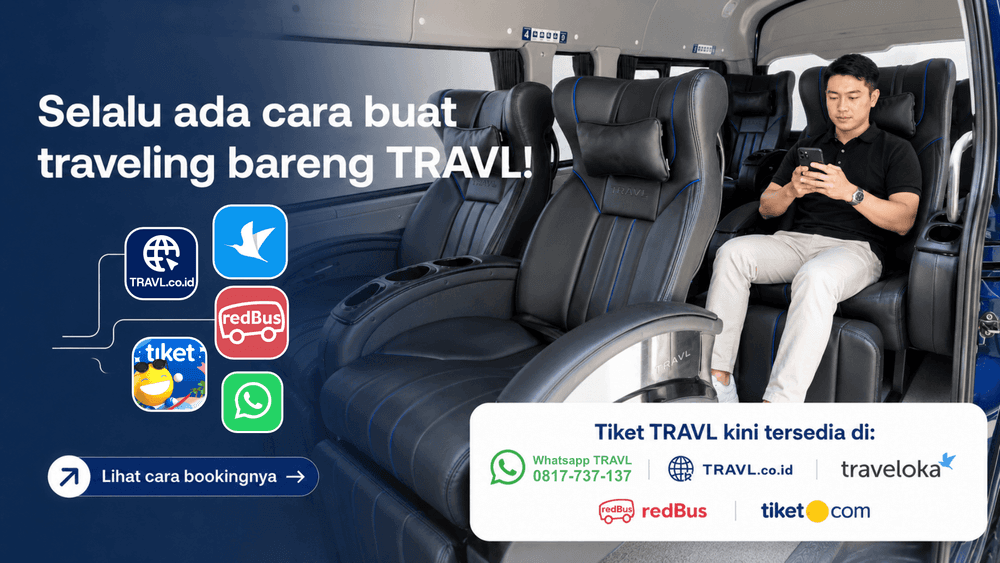
Planning a journey from Jakarta to Bandung, or vice versa? Or do you need to depart from South Tangerang, either BSD or Bintaro, to Bandung? Nowadays, booking a travel ticket to Bandung is incredibly easy and takes no more than 5 minutes. For those of you looking to travel with TRAVL, we have prepared several digital booking methods to make your ticket purchasing experience much easier.
How do you book a Jakarta Bandung travel shuttle with TRAVL? Let us find out more about how to book tickets in under 2 minutes and explore the cashless check-in system that has now become the standard for a more efficient and simpler journey.
Step-by-Step Guide to Booking TRAVL Tickets via Website
Here is a practical guide so you can complete your booking in under 2 minutes:
Access Official Website: Open the travel ticket booking page via your mobile phone or laptop. Our user interface is designed to be mobile-friendly so that it loads quickly even with a limited internet connection.
Select Route & Schedule: Enter your city of origin or the nearest TRAVL Point (e.g., Bintaro or Fatmawati) and your destination (Pasteur). Select the date and view our highly dense departure list (available every 60 - 90 minutes).
Select Real-Time Seats: You will see the layout of our fleet's cabin. Choose your preferred seat number, whether it is in the front row for a wide view or in the middle for maximum comfort.
Fill in Passenger Details: Simply enter your name and an active WhatsApp number. If you have booked with us before, the system will automatically recognize your details.
Instant Cashless Payment: Choose your favorite payment method, ranging from QRIS and Virtual Accounts to digital wallets (OVO/Gopay/ShopeePay). Once the transaction is complete, your E-Ticket will be automatically sent directly to your WhatsApp.
Total time? Less than 5 minutes. By placing your booking via the website, you can get a travel promo to TRAVL Points in Jakarta, Bandung, and South Tangerang (Bintaro & BSD) at the following prices:
Tuesday - Thursday: Only Rp 149,600.
Friday - Monday: Only Rp 159,600.
All of these promos will be automatically applied when you book through the website, without the need to input complicated coupon codes.
Read Also: How to Book Bandung-Jakarta Travel Online: Practical, Fast, & Full of Promos!
Book Tickets via WhatsApp
To book regular journey tickets directly through TRAVL's official WhatsApp, please follow these practical steps:
Open WhatsApp: Please directly contact TRAVL's official number at 0817-737-137.
Send a Message: Send an initial message (for example: "Hello, I want to book a ticket").
Select Menu: From the automated reply that appears, tap or select the "Pesan Tiket" (Book Ticket) option to instantly enter the TRAVL booking system.
Fill in Journey Details: Follow the smart menu guide to enter your route (such as TRAVL Point Pasteur), date, and departure time, as well as to determine your seat number.
- Pay & Receive E-Ticket: Make a secure cashless payment according to the instructions, and your official e-ticket will be sent immediately to that WhatsApp number.
Book TRAVL Tickets via RedBus, Traveloka.com, and Tiket.com
How to Book TRAVL Tickets via Traveloka
Open Application/Website: Open the Traveloka app on your phone or visit their official website.
Select Travel Menu: On the main page, tap or select the "Travel & Bus" (Bus & Travel) menu.
- Fill in Journey Details:
- Enter your city of origin (e.g., Bandung) and destination city (e.g., Jakarta or South Tangerang).
- Determine the departure date and the number of seats you want to book.
- Click "Cari" / "Search".
Use Special Filter: On the search results page, tap the Filter Results menu, then select or check the "TRAVL Point Pasteur" option so the system instantly displays the official departure schedules from the Pasteur hub.
Select Schedule & Seats: Choose your desired departure time. Tap the digital cabin layout to select your favorite seat number / seating position, then confirm your choice.
Complete Contact Details: Enter the complete information for the booker and passenger, including full name, phone number, and an active email address.
- Check Price Details & Pay: On the summary page, the price details will be displayed transparently at Rp168,600 for 1 seat + bus travel insurance. Select your cashless payment method and complete the transaction. Your e-ticket will be sent instantly.
How to Book TRAVL Tickets via RedBus
Open Application/Website: Log in to the RedBus application or access the RedBus website.
Input Journey Route: Enter your origin location in the "From" column, destination location in the "To" column, determine your departure date, and then click "Search Buses".
Filter Departure Point: On the search results page, tap the Filter Results menu and select "TRAVL Point Pasteur" as your main departure point to filter the schedules.
Select Seat Number: Click on your desired fleet schedule, then tap "Select Seats". Choose an available seat number from the digital cabin layout. After selecting your seat, the itemized price details of Rp168,600 (1 seat + bus travel insurance) will be displayed at the bottom of the screen.
Complete Contact Details: Click continue, then complete the passenger contact details such as full name, phone number, and email for the official manifest records.
- Complete Transaction: Select your preferred instant payment method and settle the payment. Your digital booking code will be sent immediately via SMS and email.
How to Book TRAVL Tickets via Tiket.com
Open Application/Website: Launch the Tiket.com application or open its official site through your browser.
Select Bus & Travel Menu: In the top main menu row, click the "Bus & Travel" icon or menu.
Set Up Search: Enter your departure point, destination point, and journey date, then click the "Cari Perjalanan" (Search Journey) button.
Activate Results Filter: On the search results page, open the Filter Results menu and select "TRAVL Point Pasteur" to accurately display all departure schedules from the Pasteur hub.
Determine Your Seating: Choose your desired operating hours for the Hiace Premio fleet. Enter the seat map menu to choose a seat number / seating position that is comfortable for you.
Check Final Price Details: Once the seat is selected, the system will display a summary of the price details. Specifically for bookings via Tiket.com, you will receive a net price nominal of Rp158,600 for 1 seat (tax included).
Fill Out Manifest Form: Proceed to the next page and complete the passenger contact details. Ensure that the full name and an active phone number are filled out correctly for journey manifest purposes.
- Payment Process: Click "Lanjut ke Pembayaran" (Proceed to Payment), select your favorite instant payment method, and complete the transfer to secure your digital ticket without having to wait in line.
Easy Check-In System: Arrive, Scan, Depart!
Innovation does not stop at the booking process. When you arrive at a TRAVL Point, whether in Jakarta or Bandung, you will be welcomed by an easy check-in system.
Security: You do not need to carry large amounts of cash, reducing the risk of loss or miscalculated change. We provide e-wallet payment systems such as: (LinkAja, Astra, Ovo), Credit/Debit Card (Visa, Mastercard, JCB-Japan Credit Bureau), QRIS, Over The Counter (Alfamart, Alfamidi, Indomaret), and Bank Transfer (BSI-Bank Syariah Indonesia, Permata Bank, CIMB Niaga, Bank Sampoerna, Bank BRI, Mandiri, BNI, Bank BJB-Bank Jabar Banten).
Counter Speed: Our staff only needs to screen the barcode or details present on your phone's E-Ticket. The data verification process takes a very short amount of time.
Once the scanning process is complete, you can immediately wait comfortably in our TRAVL Point lounge while waiting for the fleet to be dispatched. There are no more long queues in front of the cashier desk or dramas over unavailable cash change.
Read Also: How to Book Jakarta-Bandung Travel Online: Premium TRAVL at Affordable Rates!
Tips to Make Your Journey Even More Efficient
To maximize your cashless check-in experience, here are a few additional tips:
Save E-Ticket to Gallery: Make sure you save the E-Ticket image or pin the WhatsApp chat from TRAVL so it can be easily found when you arrive at the TRAVL Point.
Use Automated Payments: Utilizing QRIS or Virtual Account methods is usually processed much faster by the banking system compared to manual interbank transfers.
Arrive 30 Minutes Early: Even though the check-in process is very quick, arriving early allows you to enjoy our lounge facilities, such as device charging stations and free mineral water.
Transportation in the future is not just about fast vehicles, but about a service ecosystem that simplifies the lives of its users. By implementing a ticket booking process that takes less than 2 minutes and a cashless check-in system, TRAVL proves its commitment to becoming the most efficient travel partner for the residents of Jakarta and Bandung.
Don't let your productive time go to waste just for ticket administration. Switch to a smarter, faster, and safer way with TRAVL.
Other Posts

Rute Jakarta-Bandung: Mana yang Paling Cepat dan Nyaman

Kuliner di Pasteur Bandung: Makan Enak Dekat Jalan Tol

Tips Naik Travel untuk Pertama Kali: Panduan Lengkap 2026

9 Tempat Nongkrong Dekat Stasiun Bandung: Cocok untuk WFC & Ngopi

Harga Travel Jakarta-Bandung 2026: Perbandingan Lengkap
